

Share this:


1. Login to your account on Chinabank mobile app.

2. From the left menu, select Pay or Transfer

3. Select the TO BILLERS tab and tap the PAY BILL button.

4. Under TeleCom category, select PLDT to pay your phone and internet bill.
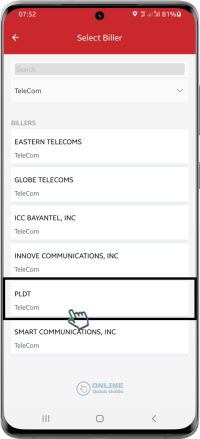
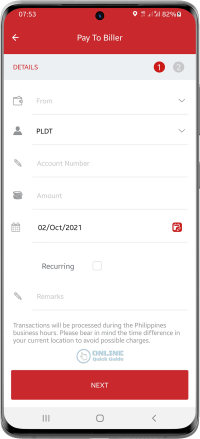
5. Enter the PLDT Account Number and amount to be paid. Then, tap the NEXT button.
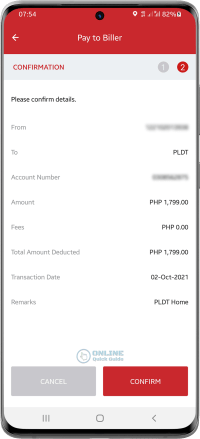
6. Review the details and press CONFIRM button to process the transaction.
7. Enter the 5-digit OTP sent to your registered mobile number.

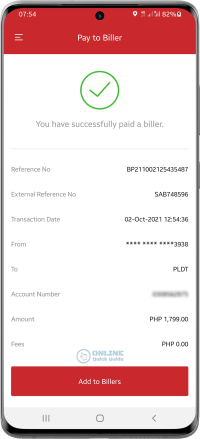
8. Payment transaction has been successful. To save the biller for future use, tap the Add to Billers button.
Share this: